.svg)
Table of Contents
Do you know what an OTP, or one-time password, is? There are 3 fundamental pillars that a business must consider for a promising future:
- A quality product/service
- First-class customer service
- Credibility.
Digital security falls under this last pillar. The truth is, this is a determining factor for any company, especially for those dedicated to providing services.
The web is full of threats that can effortlessly steal personal information. For this reason, every online business must constantly implement security measures.
The most affected industries are:
- SaaS
- Banking
- Collection agencies
- Finance
- Data protection businesses
- Cloud service companies
They all have one thing in common: they store personal information about their customers on their servers.
To put this into perspective, if any of that content were to be leaked, it could compromise the bank account details, addresses, phone numbers, and more of every user who has an account with your business.
What kind of security methods are out there?
There are many security methods used to protect user accounts on websites, such as:
Security certificates
These are the SSL and HTTPS protocols that a website must implement for search engines like Google to consider them secure.
CAPTCHA controls
These are the human verification tests you encounter on websites to ensure they aren't being manipulated by bots. The purpose of these controls is to prevent spam.
Identity verification
This security method acts as an extra layer to strengthen a personal account. It also enables many features that unverified accounts lack. On some platforms, such as banking, it is mandatory.
Frequent password changes
For static passwords, it is advisable to change them periodically and use combinations of lowercase letters, uppercase letters, numbers, and special characters.
Some security measures are the responsibility of the website, such as using reliable hosting or an SSL certificate. Others are the direct responsibility of the user. Security measures can be as simple as updating your antivirus or enabling automatic updates.
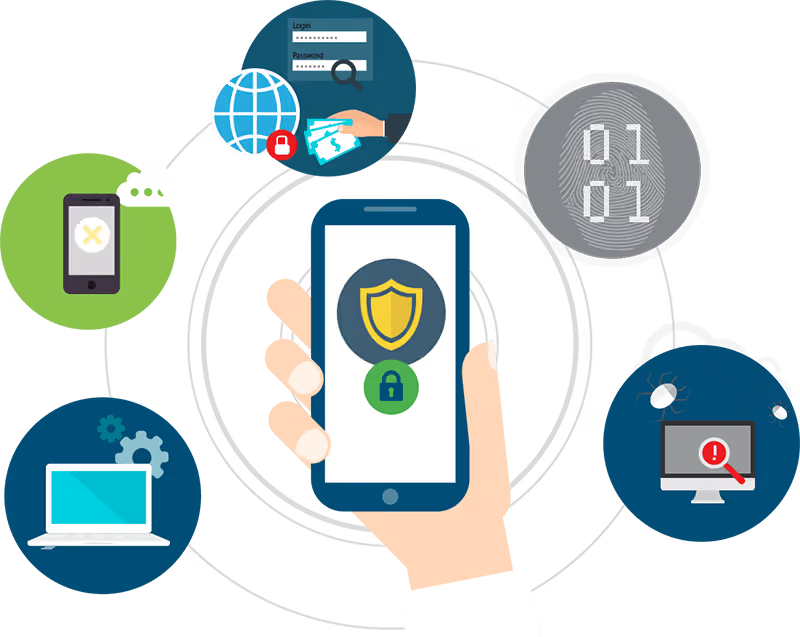
However, none are as effective as methods where the user directly requests a temporary code to authorize their activities. That is why OTP keys are so useful, secure, and widely used by the world's leading financial and service platforms.
Why are OTPs widely used?
OTP stands for One-Time Password. It is a numeric code that can only be used once to authenticate the user during a transaction. It expires after 5 minutes. If it is not used within that time, a new one must be requested.
Many organizations, such as banks, use it to replace other security methods, like coordinate cards.
OTPs gained popularity because they overcome the shortcomings of standard passwords, such as:
- Repeatability
- They must be updated manually
- Passwords are vulnerable to keyloggers or malware
- And they can be used indefinitely
In contrast, OTPs are not vulnerable to replication, as once the password changes, any attempts to use the old one are useless.
It utilizes a system that generates these codes and sends them to users, making them available for use for only a short period of time.
Therefore, there are different ways to create an OTP key system, among which the following stand out:
- The use of an algorithm to generate the password.
- Time synchronization between an authenticator and the client. These types of keys are usually very short-lived.
- The use of cryptographic models to generate a new key. During this authentication, the user creates and shares the new code to be used with the verifier.
- There are now services like SMS Pro from Octopush that facilitate all of this and allow you to implement OTP messaging according to your requirements.
What is the purpose of OTP activation via SMS?
Activating an OTP key serves to increase the protection of user accounts. It is typically used to verify identities, process payments, view or modify confidential information, and secure any other important digital activity.
This, in turn, makes software and web platforms more resistant to external attacks, since every time a password changes, access attempts with the same password are rendered useless.
Likewise, if someone manages to save an OTP and seeks access with it after it has been used by its owner, this password will be invalid.
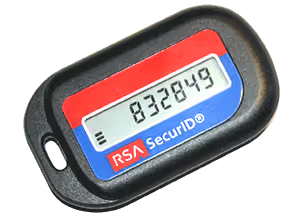
There are some companies that use special devices as “tokens”, such as banks. This way, users can receive new keys every time they want to make an operation.
However, SMS is currently used as the most common means of delivery.
Although this type of security has existed for years, it was not widely implemented. Due to the quarantine, its utility expanded. Now, keys can be sent via SMS more accurately and quickly, and from a large number of platforms.
Why is SMS the chosen way to send OTPs?
Because it is a simple means of communication. It allows for sending short texts at a low cost without the need for an internet connection.
SMS has been used throughout history to disseminate all kinds of content, from marketing strategies to satisfaction surveys, all thanks to its 98% open rate and 45% response rate.
This is the reason why OTPs work so well in this medium.
Switching from a token generator device to mobile SMS is very useful, as the mobile is a personal device that we all have within reach at all times. And unlike the former, it is not easily lost.
One-time password authentication works as follows:
The user may log in to your business’ platform from anywhere, which means entering their data on a device unknown to them. That is why the generated time-limited password is only valid for 5 minutes or until it is used once.
- The user, whose identity requires verification from your platform, receives an SMS.
- This SMS text includes the OTP key.
- Then the recipient of the OTP enters it into the corresponding application.
Banking operations commonly use this system. Users can register on digital platforms, request password recovery, and, in general, use it for any two-factor authentication process via SMS.
Some popular examples of OTP via SMS
1. OTP as a login supplement
The OTP is also used as a security supplement for platforms. Relying on a single method is not enough to prevent unauthorized access to our information. Therefore, these codes are used alongside PINs, patterns, static passwords, and more.
An example of this is when, after entering a username, the platform sends an OTP to verify the identity of the person accessing the account.
This methodology is common in SaaS (Software as a Service), as many of these companies handle highly sensitive information. Consequently, access must be strictly controlled.
A software service that lacks one-time passwords would not be fully secure and, therefore, would fail to inspire user confidence.
2. Verifying that a mobile number is correct
If a new customer registers in your database and provides an incorrect mobile number, it can be detrimental if you have implemented SMS marketing campaigns or need to use OTPs later on.
You could even lose information regarding an ongoing purchase.
Therefore, to verify that a person is registering with the correct mobile number, it is important to implement OTP to confirm new user registrations.
This practice is very common with email, where a verification link is sent. But now that everyone uses their mobile as an indispensable tool, it is essential to stay in touch with customers and increase online security.
3. Logging into a banking platform
OTPs are commonly used on online banking platforms as a security measure.
Users must link a device to the website or mobile application, and every time they want to log in from a different device, they are prompted for this code. It is sent via SMS to the person’s registered number.
If users fail to verify their identity by not entering the code sent via SMS, they will be unable to access their financial data. After multiple failed attempts, the bank will block the account to protect the user’s funds.
This code may be required to log in or even to make a transfer, depending on the user’s security settings.
4. Making online purchases
To shop at most online stores, it is necessary to create an account and add a phone number to verify and receive purchase status messages.
And taking into account that users introduce their financial information to make payments, these sites are beginning to request an OTP to confirm the purchase. This ensures the identity of the person making the transaction.
If the person requesting the purchase cannot verify their identity, the process will not happen. Especially for purchases of larger amounts or large quantities, which could hint some indication of fraud.
5. E-wallets access key
Digital wallets, also known as E-wallets, are digital spaces where you can store current capital, such as dollars, euros, pesos, and also cryptocurrencies, such as Bitcoin, or Ethereum.
Since they store financial data, and allow payments and transfers, these applications apply the OTP function for their access or transactions.
In many occasions the mobile app has an automatic recognition of the key once the notification arrives on the phone, but other times it must be typed in manually.
If the customer enters the code incorrectly, they won’t be able to access to their account.
6. Protecting companies in the cloud
Companies in the cloud, also known as cloud computing, referring to all those firms that provide and manage their resources through the Internet. Some of them are email platforms.
The company’s servers store all information, instead of consuming space on the device from which you are logging in. For this reason, cloud companies have a particular need to be 100% protected from the cyberattacks that occur on a daily basis.
This type of company often uses OTP keys to access the central panel and manage all the data.
If they did not use them, they would be in constant trouble, because hackers tend to improve the accuracy of their attacks. In a worst-case scenario, the cybercriminals may leak all the content from the servers.
How does OTP protect my customers and users?
Typing in a password every time you want to log in to your account may seem tedious, but it is a very efficient and practical security method for several reasons:
- It reduces password theft attempts.
Since it is a password that is valid for a single use and for a short time, it cannot be used repeatedly. Therefore, users are protected from harmful software such as keyloggers.
In addition, sending these codes via SMS adds extra security, making it more difficult to crack. Unless they have direct access to the cell phone before it is used.
- Generates more confidence in users.
As the owner of the phone is the only one who has access to their mobile phone, only they know the password that appears in the message.
This builds user confidence when using any platform, as keeping access credentials private ensures all information remains secure. This is especially important in these uncertain times, given the rise in digital threats and scams.
Furthermore, using SMS to send information adds a professional touch to your company, demonstrating that you prioritize security.
- The use of OTP via SMS has become standard alongside the widespread adoption of mobile phones.
It is a secure way to protect sensitive information and your customers. It is fast, cost-effective, and does not require an internet connection for the user.
SMS Pro offers this solution along with additional features to help you improve customer relationships and increase conversions.
Contact us via the Octopush Contact section for more information!