.svg)
Table of Contents
Voice messaging—sending recorded voice notes to recipients via apps like WhatsApp, Facebook Messenger, and Telegram—is becoming increasingly popular.
Proponents of voice messaging argue that it conveys tone more effectively and allows for more information to be shared in a short amount of time, without the character limits associated with SMS.
However, there are times when apps offering voice messaging features may be unavailable, either due to a lost internet connection or because the recipient is unable to install these apps on their mobile phone.
In such cases, SMS remains the most reliable instant messaging system for sending short messages, including voice notes.
How to send an audio message via SMS: transmission method
An SMS gateway service like Octopush offers innovative solutions to meet your customer communication needs. Among the features available when sending an SMS campaign is the ability to attach any type of file to your message, including voice notes or any other audio file.
The system then sends it to our server, from which your recipient can download it at no extra cost.
To do this, follow these steps:
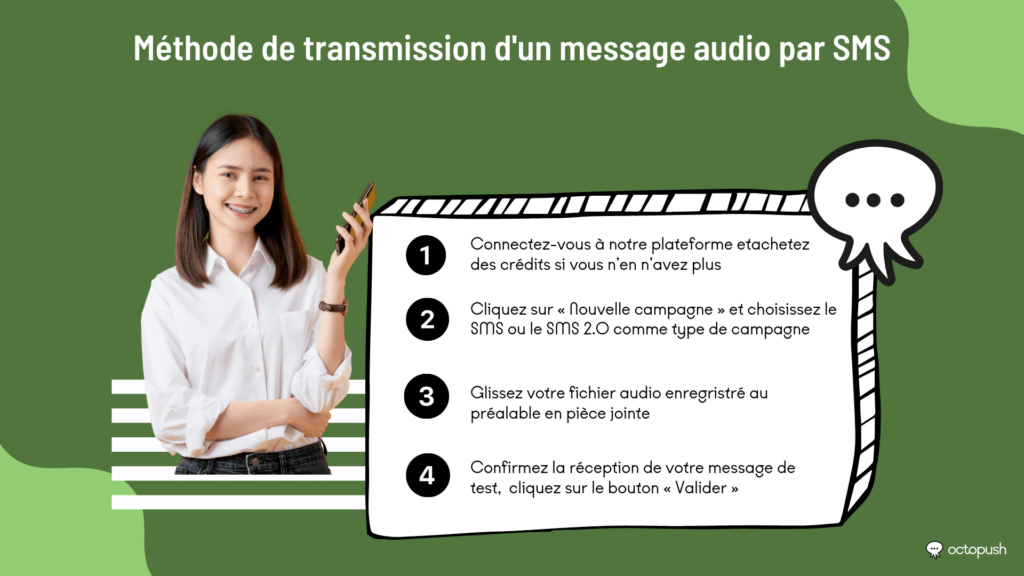
- Log in to our platform. If you don't have an account yet, you can create one via this link.
- Once on the platform, purchase credits if you have run out. You also receive five free SMS credits to test our service. Check the menu on the left side of the screen and click "Order." You can choose between pay-as-you-go, per-subscriber pricing, or a subscription plan.
- Once you have the necessary credits, return to the menu on the left, click "New campaign," and select SMS or SMS 2.0 as your campaign type.
- On the message creation screen, you will see a paperclip icon used for attaching files.
- Clicking the icon opens a window where you can drag and drop your file—in this case, a pre-recorded audio file.
- The system then adds a short URL to your message. Using this feature increases the base price of the SMS by €0.01.
- Once you have confirmed receipt of your test message, you can click the "Validate" button.
Note: The file you attached to your SMS is available for 15 days, after which it is deleted.
How to send an audio message via SMS with Octopush
As you likely noticed in the tutorial above, SMS itself does not support sending files, nor does it allow for real-time recording of voice messages.
However, SMS sending platforms like Octopush offer practical solutions for delivering messages to your audience without requiring them to install any external apps. Even better, the voice messaging service allows you to reach businesses and customers who still rely on landlines for communication.
Voice messaging works just like any other SMS. You enter a text message in the traditional way, and you have the option to schedule the delivery and select the specific list or segment of contacts you want to reach.
However, when you send this message, recipients do not read it in their inbox; instead, they receive a phone call. Your voice message is played using TTS (text-to-speech) technology.
When creating a voice message, you can configure several settings, ranging from the language of the synthetic voice to choosing between a male or female voice.
Why choose to send a voice message instead of a standard voicemail?
Voice messaging is a communication channel that uses mobile phone networks instead of the internet. It proves useful in situations where the recipient does not have access to Wi-Fi or mobile data on their cell phone.
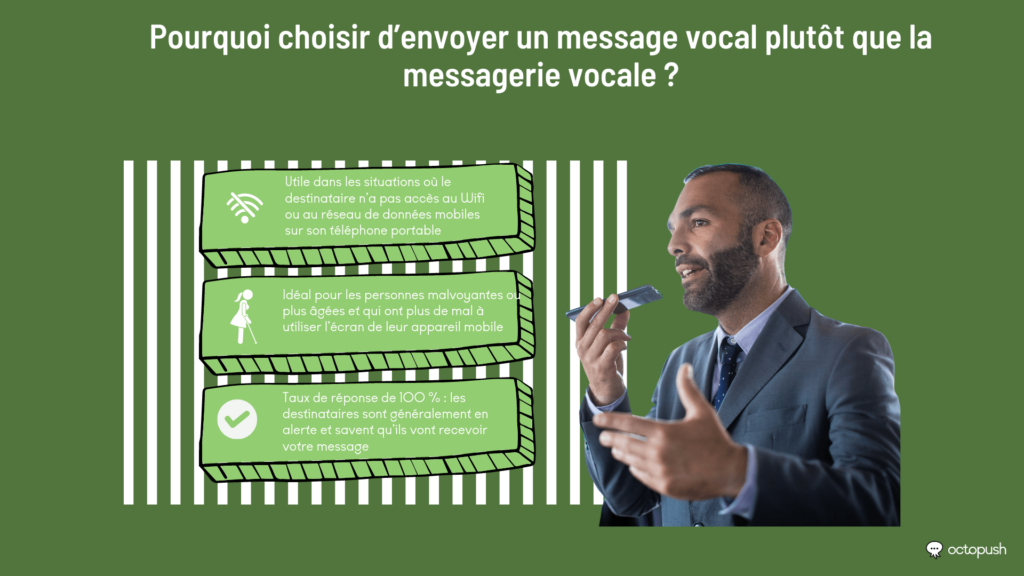
A call is also ideal for visually impaired or elderly individuals who may find it more difficult to use their mobile device's screen. Furthermore, a voice message provides a more human touch, which recipients particularly appreciate.
In France, sending voice messages for commercial purposes is prohibited. This type of messaging is limited to transmitting information in emergencies, such as alerts and notifications. This is why voice messages have a 100% response rate: recipients are generally on alert and know they are about to receive your message.