.svg)
Table of Contents
SMS (Short Message Service) allows anyone to reach a contact via mobile quickly. It proves to be a very effective tool for professionals, especially as audiences spend more hours throughout the day in front of a screen—usually that of their mobile phone.
Table of Contents
Sending text messages online: practical for your campaigns
Currently, communication via messaging apps between smartphone users is widespread.
This is why several systems have been made available to the general public, such as WhatsApp, Android, and others offered by tech giants like Google or Apple with its iPhone.
Using SMS for professional marketing or promotional campaigns is effective because it fosters conversation between businesses and their customers. It allows you to quickly transmit information to the personal mobile phones of customers and prospects at any time, whether they are in France or abroad.
A well-planned text message campaign reaches your audience and leaves a positive impression of your company.
Information is guaranteed to be received and remembered more easily than through other communication channels like TV, radio, print, or email. In general, multimedia also seems highly valued for Google rankings.
It is possible tosend bulk SMS from your mobile phone or even through mobile carrier plans. However, to avoid extra costs or being flagged as spam, it is essential to use abulk SMS sendingservice.
The best part of using SMS, is that your audience can receive notifications wherever they are.
Using the web allows you to reach a much larger target than via phone. Furthermore, by using messaging through a private system, the person receiving your message in their phone's inbox will have the option to reply to that text, for example.
And all while respecting your budget. They also allow you to personalize your messages, use original formats, send SMS to foreign numbers, and create campaigns from different devices.
Sending text messages via the web: online solutions
Thanks to the web, you can use various services to send messages to mobile phones.
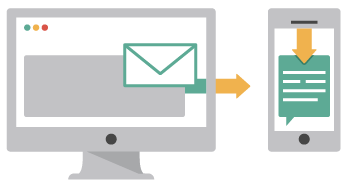
You can send text messages via email from your inbox, which is convenient for administrative, sales, or communications departments.
The email-to-SMS service for example, automatically converts your emails into SMS. This way, your recipient receives your email as a text message on their mobile phone. It is a great alternative to creating messages through traditional channels or via websites.
This user-friendly tool can be integrated into your software as well as your databases.
Sending a group message allows you to send notifications to all your contacts at once.
Sending an SMS from the website may, however, have daily limits.
For added security, mobile carriers also offer this feature within their customer portals. Text messaging plans are also available.
You can also use a solution installed on your smartphone and computer. You also have the option to compose SMS messages to a mobile phone from your browser after installing a dedicated extension.
Sending a message to mobile phones via the Internet using a platform
For sending SMS marketing campaigns or bulk SMS, it is recommended to use professional web-based platform solutions. They offer extended services to help you create effective SMS messages for your customers and prospects on their mobile phones. This technique is a safe and secure communication method for your campaigns.
Use a platform that allows you to adjust settings to launch your messages hassle-free.
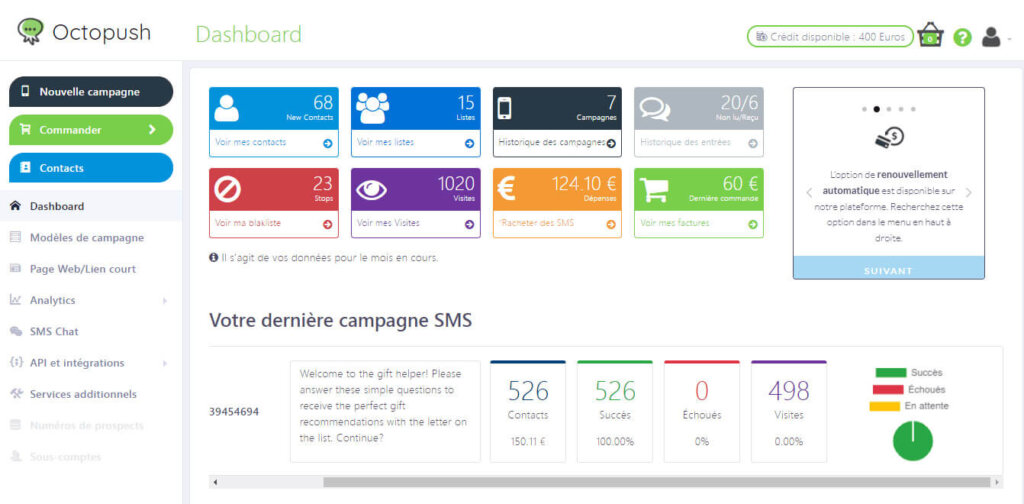
The Octopush SMS messaging platform provides you with a personal, highly ergonomic, and user-friendly interface. You can manage your campaigns independently and store information and data regarding your contacts.
SMS credits are available at various price points, allowing you to choose the exact number of texts you need. They do not expire and can be used the year following their purchase. Each text is sent to every contact's mobile device in a professional and secure manner. This allows you to maintain conversations with your customers at any time in a private environment.
Octopush is a reliable platform because it automatically includes "STOP" in every text sent, allowing your recipients to unsubscribe if they wish. It does not send your texts between 8:00 PM and 8:00 AM on weekdays, or on Sundays and public holidays.
Send SMS to mobile phones online with an API
By using the solutions of a professional online platform, you can simplify your daily routine by using the API application. This can be done without needing to use a web browser like Google Chrome or Microsoft Windows Edge.
With this application, you can send SMS from your own tools within your company. It is very easy to use and can be installed in any work environment (Java, PHP, C#, etc.).
At Octopush, you benefit from a tutorial as well as technical support available 24/7 to guide you through its configuration and deployment.
Once installed, you can send your marketing SMS campaigns from your e-commerce store, your internal communication system, or even your own software.
Sending texts to mobile phones from your workstation has never been easier. Your communication will be more responsive and instantaneous. You can engage and build closer relationships with your contacts directly from your computer and your everyday tools.
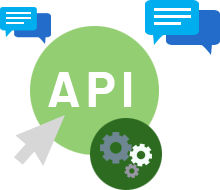
Users of our solutions can make modifications based on their own applications. You can change settings or schedule a text for later, so that the designated recipient receives the notification on their private device at a time other than when the text was composed.
With the Octopush API application, you have the advantage of always having access to the other features it offers. From the API, you can schedule your campaign delivery, personalize your texts, receive delivery receipts, track the progress of your SMS sends, and more, without needing to log in to the platform.
How to send text messages using the Octopush platform
In the menu on this page, you will find a login icon. Click on it to access the platform.
You can use the SMS platform from either your smartphone (it supports both iPhone and Android devices) or your computer. We recommend using the latter, as a full keyboard offers more freedom.
If you haven't created your account yet, you can do so using the "Try it" button; it only requires an email address and a password.
Within the Octopush platform, you have several options for modifying your campaign settings.
Once in your user area, go to the menu and select "New campaign." Choose the SMS icon. Compose your text and add the recipient's phone number. There are two options: type the number on the keyboard or import a list of customers.
Octopush also offers the option to rent a list of private opt-in numbers.
The SMS gateway allows you to create a custom sender ID so your users know it’s you when they read your messages. You can compose texts to send to groups or individuals.
You can choose between marketing or transactional for your campaign goal. Select the first option for advertising purposes, or the second if you intend to send alerts or notifications.
There is also a conversation option. Click "with replies" if you want your users to be able to respond. This way, you can start conversations with your customers without any per-text cost limits.
Finally, click "Validate" to send the text.
Important: test your campaign!
Click the "send a test SMS" button and choose the number to which the test should be sent. No claims will be accepted for campaigns that have not been tested beforehand.
A second confirmation will be requested after the validation above.
With SMS, you get the popularity of communication platforms like WhatsApp without needing data or a Wi-Fi connection to start a conversation or send notifications to your audience.
Send a photo via SMS messaging
The need for communication, the exchange of international traffic, and technological advances have made it possible to store all kinds of information, whether it be a photo, sound, video, etc.
Especially in advertising. Sending an image, video, or music to express your gratitude via text leaves a lasting impression on your audience and is often well-received.
MMS, or Multimedia Messaging Service, is a tool for sending and transmitting long texts, which can also be accompanied by photos, sounds, audio files, or even video, via carrier plans or on the French network.
The MMS service center is responsible for organizing sending and receiving between mobile phones.
The recipient will be able to see the attached photo on their Android phone.
Furthermore, Octopush offers a distinctive feature that allows you to share a photo with your audience without needing to use MMS. Using the HTML protocol, send a photo that becomes part of your text. If your clients have a compatible device, they will see the photo without having to download anything, as the photo is not actually an attachment.
Go to your user area, start a campaign, and click the small paperclip icon below the text composition area. A new window will open for you to drag and drop your photo.
Start a conversation with your audience with Octopush today! We are here to answer your questions; click the call icon in the menu on this page to get in touch with us, with no obligation.