.svg)
Table of Contents
SendingSMS from a PC is one of the methods that allows you to run high-performance, impactful bulk SMS campaigns.
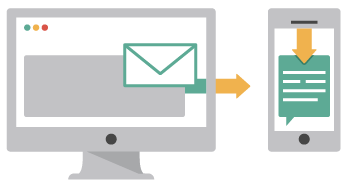
Sending text messages from a computer: a mobile-complementary technique
The advantages of SMS, such as its speed and ease of implementation, allow you to reach your customers in record time and with great impact. With the advent of the Internet, it is now possible to carry out SMS communication campaigns from a Windows PC, Google, or iPhone, rather than just a phone. These various communication channels allow companies and professionals to inform, alert, and build loyalty among their customers and prospects by maintaining a connection via their mobile devices. Using a solution from your Windows computer can be very practical for all types of purposes. For example, for payment reminders, sending promotional offers, or commercial campaigns, etc. Sending SMS campaigns allows you to diversify your communication and reinforce the actions taken through other traditional tools. The information is more impactful because it is received on a personal device, which is frequently checked by the user and therefore more likely to be remembered at a glance. Using a SMS solution from a Windows computer helps limit costs and expand the audience you wish to reach on their Android or iPhone mobile devices. Depending on your goals, you have various online methods available to send texts from your computer: online sites, browser extensions, SMS sending software, downloadable applications, mobile carrier websites, email services, and more.
Sending messages using multiple online solutions
Running a bulk SMS campaign from a Google Android mobile is impossible due to the risk of spam or extra phone charges, so many solutions for sending SMS from a computer have been developed. After creating an account, you can send SMS messages in France or abroad to your contacts' Android or iPhone devices. You can also subscribe to SMS packages for larger volumes. Rates are generally very low. You can also take advantage of this service through your mobile carrier's customer portal. However, you can only send a set number of free texts per day. Using this type of service is practical for occasional contact via Android or iPhone in France or abroad: depending on the solution, shipping is low-cost and you avoid extra charges. You can also send texts from an extension or an application previously installed on your Windows computer. Installed on your browser, the extension allows you to send unlimited texts via the web. By using a multi-platform application version, you can create, send, and receive your texts. These were created to allow you to send text messages from and to any device. And you can reply to your contacts from your smartphone screen or your computer.
Sending text messages with an API
There is an internet solution that allows you to simplify your daily tasks, particularly regarding communication actions aimed at your contacts. You can send SMS marketing campaigns from your computer using an API offered by professional platforms. TheSMS API integrates into your existing communication tool. This could be your e-commerce site, your accounting software, a commercial management system, etc. To showcase your items or a video, it can be integrated into the programming language of your choice. Using this application gives you the ability to interact with your customers and prospects from your workstation and continue to benefit from the platform's features without logging into an interface: receiving delivery receipts, tracking your campaign statistics, personalizing your message content, scheduling your campaign shipments, etc. Furthermore, you can also use the API to contact your recipients via email. This is very useful for appointment confirmations or order tracking, for example. With the Mail to SMS function, which is also integrable into your tools, your email will be generated as a text message on your recipient's Android or iPhone. By using an email address to send a text, you can contact your recipients from your professional inbox with complete ease.
Sending messages with Octopush services
Sending text message campaigns allows professionals to build closer relationships with their customers and reach new prospects by sending information directly to their phones instead of calling. Using a solution designed for Windows PCs simplifies your daily routine and helps you communicate more effectively. Among these are SMS sending platforms that offer solutions for running effective campaigns, such as Octopush. Once you log in to your personal interface, you can easily launch text campaigns to your customers' Android smartphones. You can purchase SMS credits based on the volume you need: the more credits you buy, the lower the price. Once on the interface, you can import or create your contact list, write your messages, or use the pre-defined templates provided. Each new campaign can be sent immediately or scheduled for later. To make your text messages as impactful as possible, you can personalize the content and send them by user category. Because your messages are highly targeted, your recipients will feel valued and special. You can then track your campaign statistics in real time. Octopush is a reliable platform because it complies with French law regarding professional SMS sending by quickly processing your recipients' unsubscribe requests.