.svg)
Table of Contents
SMS marketing is a powerful communication tool, especially since you can send SMS messages directly from a PC. Today, this strategy helps boost sales while optimizing customer relationships. There is no better way to trigger purchases quickly than with this type of SMS. This is why a new solution has been designed to help businesses get their message across. What are its benefits? Can it be integrated into a communication strategy?
Send professional SMS from your PC or an app
Sending SMS from your PC or computer? It couldn't be easier! All you need to do is install the appropriate software. Naturally, this is done quickly and requires no special technical skills. Why? If your message is concise and clear, you can draft it in no time. It will then be ready to be sent to all your recipients on the network. Fast, isn't it? Plus, you can take advantage of the benefits this new strategy offers.
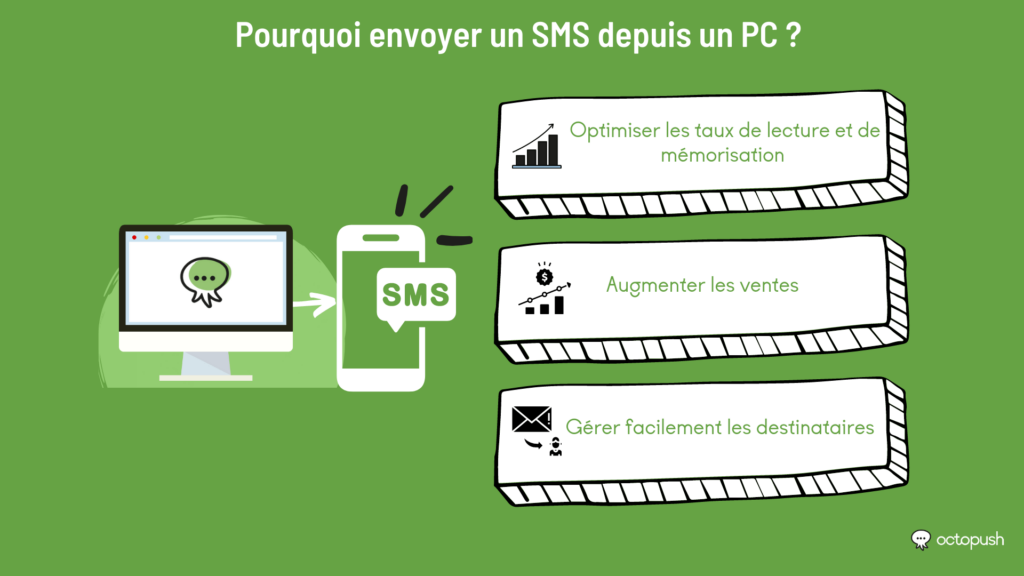
- Optimize open and recall rates
To boost sales, it is important to choose an effective channel. SMS is the only medium that allows you to reach a wide audience. Its open rate is unbeatable.
- Increase sales with simple messages
Sending SMS messages from a PC or mobile phone helps boost sales. This is particularly effective during sales or promotional periods. In your SMS, simply remind the customer of their cart contents, and you're done! Your target audience will be able to see product prices. This will lead to much more traffic to your services.
- Easily manage recipients for every professional message
Another advantage of sending SMS from a PC is the simplified management of your mailing lists. Thanks to SMS platforms on your PC like Octopush, you can add and organize your recipients. Customers, prospects, specific segments... As a professional, you can categorize almost all of your lists.
Incorporate bulk SMS messaging from a computer
A laptop can automate SMS. The benefit? You save valuable time. Better yet, you have the ability to incorporate bulk SMS from a computer. To do this, you will need to use SMS software or an application. This way, you can launch SMS campaigns via an app or other tools to reach a large audience through the mobile phone channel.
However, to take advantage of this, you must follow a few rules. For example, it is important to ask for the customer's consent before sending text SMS messages from your computer. To do this, you should create a sign-up form so that the customer can accept or decline the invitation.
In addition, you must offer the option to unsubscribe from the mailing list. Obviously, you must respect the days and times for sending SMS messages to mobile phones. As for the professional sender (your company), it must be clearly identified so that the SMS complies with legislation.
Send your text messages without a mobile phone using the Octopush application platform
Octopush is the premier SMS platform for companies looking to boost their strategy through a single service. With it, you can send messages from your phone or your PC. Thanks to its services, it also helps you build a reliable database, manage customers effectively, and secure your data, all in one place. No spam or scams! You secure your network, gain satisfied prospects, and increase your visibility.
Send your campaign by presenting your offer or services now via a single professional message.
Discover our guides on text SMS messaging via computer or app:
- Sending and receiving SMS via the internet: why?
- The benefits and techniques of bulk SMS messaging via the internet
- Sending SMS from a computer: everything you need to know
- Marketing campaign: Send SMS via the internet
- The advantages of sending SMS via the internet
- Sending text messages via the internet: how to prepare?
- How to send text messages via the internet?
- Definition of web-based SMS
- Web SMS client to automate your customer contact processes
- Web SMS service: Make your marketing campaigns more profitable
- Grow your business with business SMS